Dashboard Quản Lý Vận Tải Là Gì?
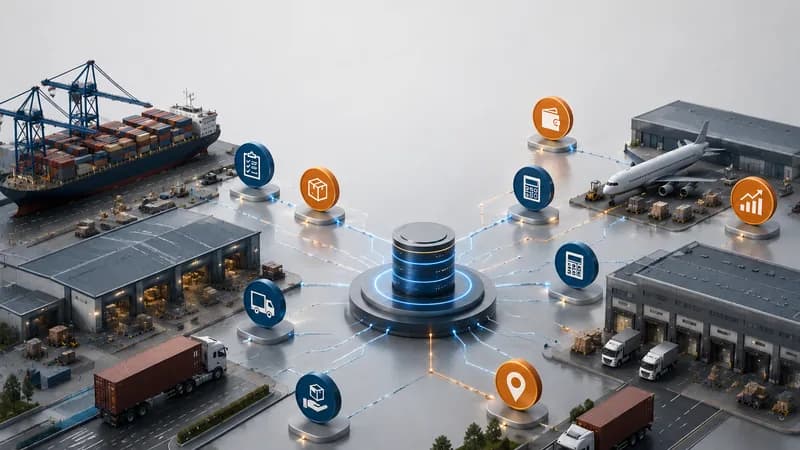
Dashboard quản lý vận tải là màn hình báo cáo giúp đội logistics theo dõi hoạt động vận tải hằng ngày từ dữ liệu job, chuyến xe, tài xế, phương tiện, giao hàng và report đã kết nối.
Trong vận hành vận tải, một job có thể gồm nhiều chi tiết. Một yêu cầu khách hàng có thể trở thành transport job. Transport job có thể cần tài xế, xe, rơ mooc, container, kế hoạch pickup, lịch delivery, proof of delivery, cost record, invoice và report quản trị.
Nếu các chi tiết này nằm rải rác trong cuộc gọi, tin nhắn và spreadsheet, đội ngũ có thể mất nhiều thời gian hỏi cập nhật hơn là kiểm soát công việc. Operations biết trạng thái chuyến. Accounting biết chi phí. Customer service biết vấn đề giao hàng. Management có thể chỉ nhìn thấy vấn đề sau khi nó đã ảnh hưởng đến service hoặc billing.
Dashboard vận tải giúp gom các tín hiệu này vào một góc nhìn vận hành rõ hơn.
Cách hiểu đơn giản
Dashboard quản lý vận tải giúp đội ngũ xem transport job, chuyến xe, tài xế, phương tiện, trạng thái delivery, POD, chi phí và report trong một workflow.
Vì Sao Dashboard Vận Tải Quan Trọng Trong Vận Hành Hằng Ngày?
Dashboard vận tải quan trọng vì hoạt động vận tải thay đổi liên tục trong ngày.
Một job có thể được xác nhận vào buổi sáng. Một tài xế có thể được phân công sau đó. Một phương tiện có thể không sẵn sàng. Một chuyến có thể bị chậm tại điểm pickup. Một container job có thể tạo waiting time. Một delivery có thể đã hoàn tất nhưng proof of delivery vẫn cần kiểm tra. Một chi phí có thể được thêm khi job đang chạy.
Nếu không có dashboard, đội ngũ thường phải dựng lại bức tranh thủ công. Điều này làm các câu hỏi đơn giản trở nên khó trả lời. Job nào đang active? Chuyến nào đang chậm? Tài xế nào đã được phân công? Phương tiện nào sẵn sàng? Delivery nào đang chờ POD? Chi phí nào còn cần xác nhận?
Dashboard giúp Operations, Management và Accounting xem cùng một luồng vận hành với ít bước hỏi lại hơn.
Giá trị kinh doanh
Giá trị không chỉ là visibility. Giá trị là giúp đội ngũ kết nối trạng thái vận tải với chi phí, billing, cập nhật khách hàng và bối cảnh report.

Apollogix Hỗ Trợ Workflow Dashboard Vận Tải Như Thế Nào?
Apollogix hỗ trợ workflow dashboard vận tải qua dữ liệu TMS và FMS đã kết nối với job, chuyến, shipment, service, accounting và report.
Trong Apollogix TMS, dashboard giúp đội ngũ xem jobs, containers, trips, drivers và equipment theo trạng thái. Transport Job giúp đội ngũ quản lý job status, job type, customer reference, thông tin vessel và voyage khi cần, cảng, ETD, ETA, available date và lịch sử job.
Workflow Operation giúp đội ngũ lập kế hoạch, phân công tài xế, quản lý chuyến và theo dõi tiến độ. Các workflow liên quan có thể hỗ trợ waiting time, trip summary, proof of delivery, container demurrage summary, accounting, notification và report.
Với doanh nghiệp có quản lý thêm hoạt động freight forwarding, Apollogix FMS có thể kết nối dữ liệu shipment, job order, service, accounting, invoice, spend request, dashboard và report.
Giá trị xuất hiện ở đâu?
Giá trị xuất hiện khi dữ liệu job, chuyến xe, tài xế, phương tiện, shipment, service, POD, chi phí, invoice và report được kết nối.
Doanh Nghiệp Nào Cần Dashboard Quản Lý Vận Tải?
Doanh nghiệp quản lý nhiều transport job, chuyến xe, tài xế, phương tiện, container, cam kết delivery, cập nhật khách hàng, chi phí, invoice và report là nhóm cần dashboard quản lý vận tải nhất.
Nhu cầu trở nên rõ ràng khi management không thể trả lời nhanh các câu hỏi vận tải hằng ngày. Job nào đang active? Chuyến nào đang chậm? Tài xế nào đã được phân công? Phương tiện nào không sẵn sàng? Delivery nào cần kiểm tra POD? Job nào có waiting time? Chi phí nào đang chờ xác nhận? Report nào cho thấy workload đang tăng?
Doanh nghiệp vận tải cần dashboard này khi trạng thái job, phân công tài xế, phương tiện sẵn sàng, waiting time, cập nhật giao hàng và billing phải được kết nối. Freight forwarder cần nó khi shipment, transport, service, chi phí và invoice phải được xem cùng nhau. Công ty 3PL cần nó khi thực hiện delivery và billing đi qua nhiều đội.
Với đội COO, dashboard giúp giảm điểm mù trong thực thi hằng ngày. Với đội CFO, nó kết nối hoạt động vận tải với chi phí, doanh thu, phải thu, phải trả và lợi nhuận job.