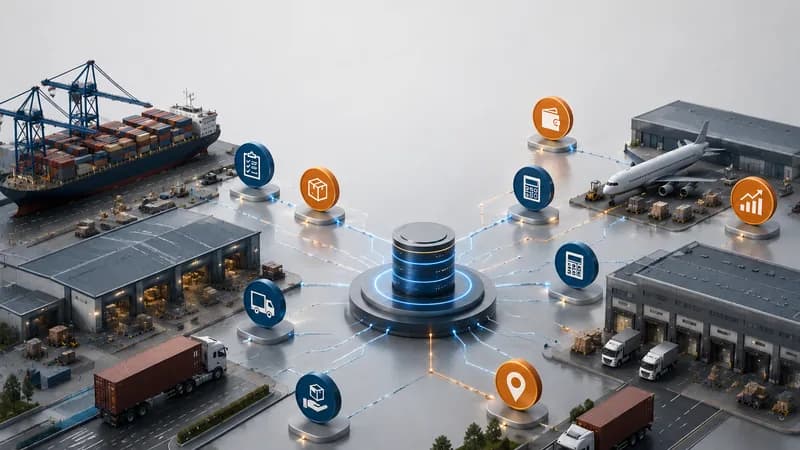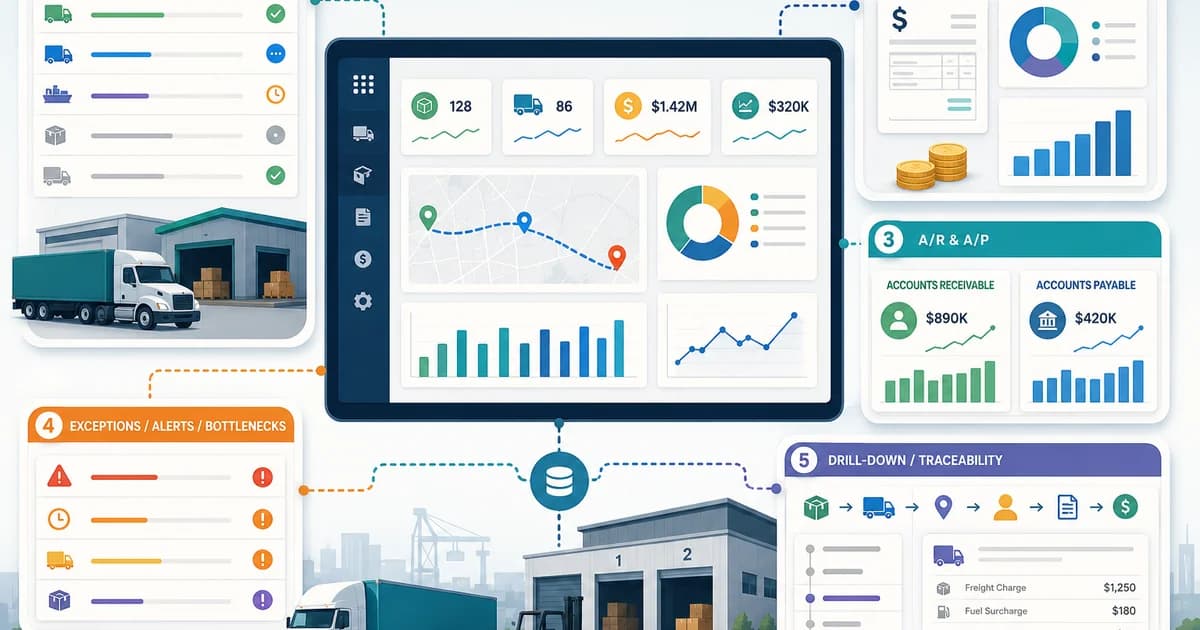
Logistics software with an integrated accounting dashboard helps logistics companies review operational status and accounting status in one connected management view. It helps managers see whether jobs, shipments, trips, invoices, costs, accounts receivable, accounts payable, and exceptions are moving together or getting stuck between departments. For logistics companies, a dashboard is useful only when each number can be traced back to the job, trip, shipment, service, customer, vendor, invoice, or charge item behind it. This article explains five dashboard views that logistics and accounting teams should review before they trust the reporting layer.
What Is Logistics Software with an Integrated Accounting Dashboard?
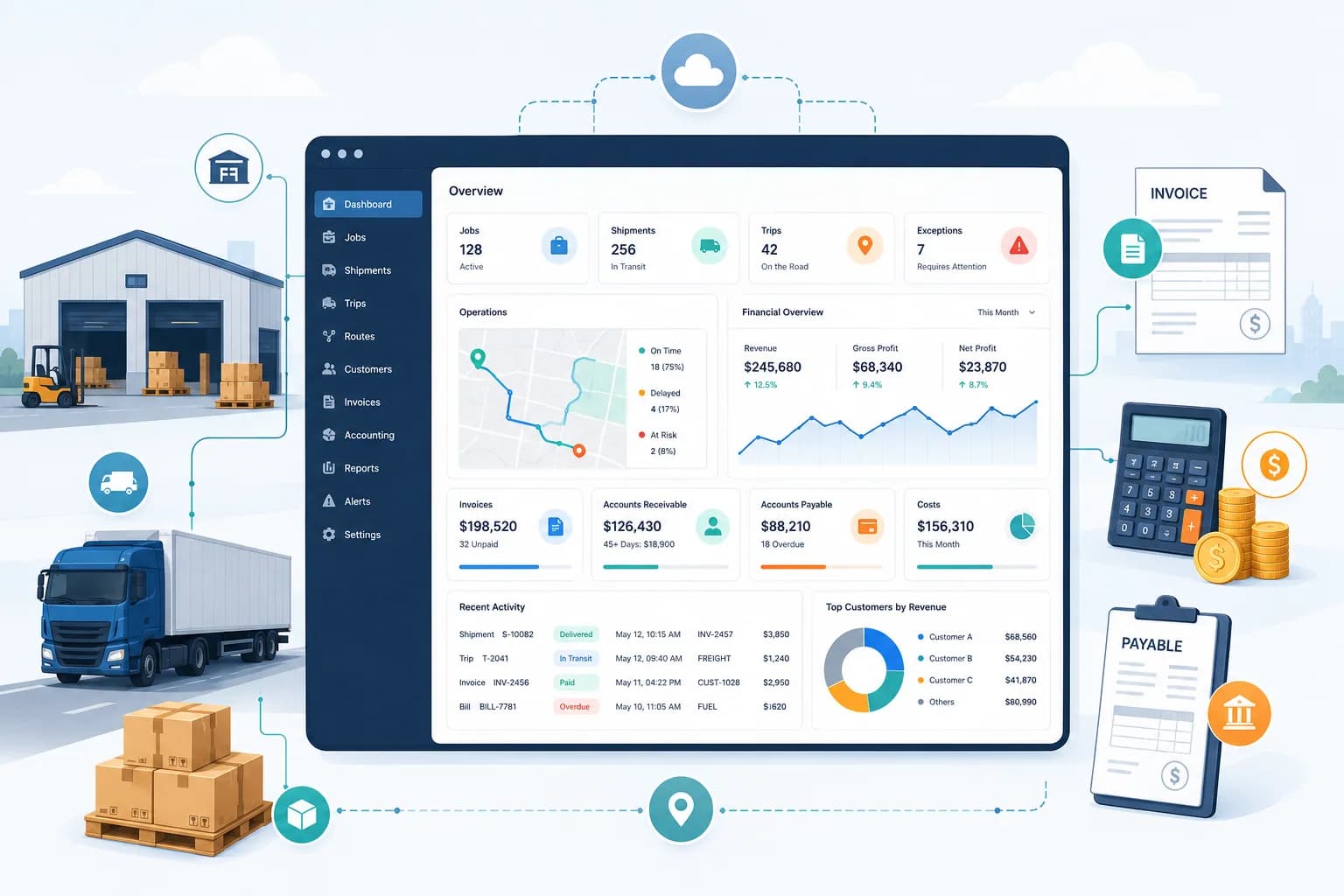
Logistics software with an integrated accounting dashboard is a system that connects logistics workflow records with accounting records so managers can review operations and finance without rebuilding data from separate files.
Operations and Finance in One View
The dashboard should not only show charts. It should show the relationship between operational work and financial status. For a transport company, the dashboard should connect transport jobs, operations, driver progress, equipment status, invoices, revenue, costs, accounts receivable, accounts payable, and reports. For a freight forwarding company, the dashboard should connect job orders, shipments, services, booking data, costing, invoices, receivables, payables, spending requests, job profit, and reports.
What This View Should Help Managers See
This view should help managers see whether the operating record and accounting record are moving together. A completed trip may still be waiting for invoice data. A shipment may still be waiting for cost confirmation. A service may be finished but not yet connected with billing. These gaps are the reason an integrated dashboard is needed.
Why Traceability Matters
Traceability is the main value of an integrated accounting dashboard. Operations can finish a job before accounting creates the invoice. Accounting can see a vendor cost before knowing which job or shipment created it. Management can see revenue before knowing whether the related cost is complete. A connected dashboard reduces these gaps by showing the source record behind each financial item.
View 1 — Operations Status Dashboard
The operations status dashboard should show whether logistics work is new, active, waiting, completed, delayed, or blocked. This is the first view because accounting cannot review the right financial status if the operational status is unclear.
Transport Operations Status
For transport teams, this view should include transport jobs, containers, trips, drivers, equipment, waiting time, trip summaries, and delivery-related status. Apollogix TMS supports transport jobs, operations, driver updates, equipment management, dashboard, and reports. These records help managers understand which jobs are open, which trips are active, which vehicles or trailers are ready, and which files need action.
Freight Forwarding Operations Status
For freight forwarding teams, this view should include shipment volume, import and export workload, ocean freight activity, air freight activity, service workload, and job order status. Apollogix FMS supports job orders, shipments, services, ocean freight, air freight, dashboard, and reports. These records help managers see which shipments are active, which services are pending, and which operational files are waiting before accounting can continue.
Management Questions This View Should Answer
This view should help management answer practical questions. Which work is still open? Which jobs or shipments are active? Which service or trip needs attention? Which record is waiting before finance can review invoice, cost, receivable, or payable data?
View 2 — Billing Readiness Dashboard
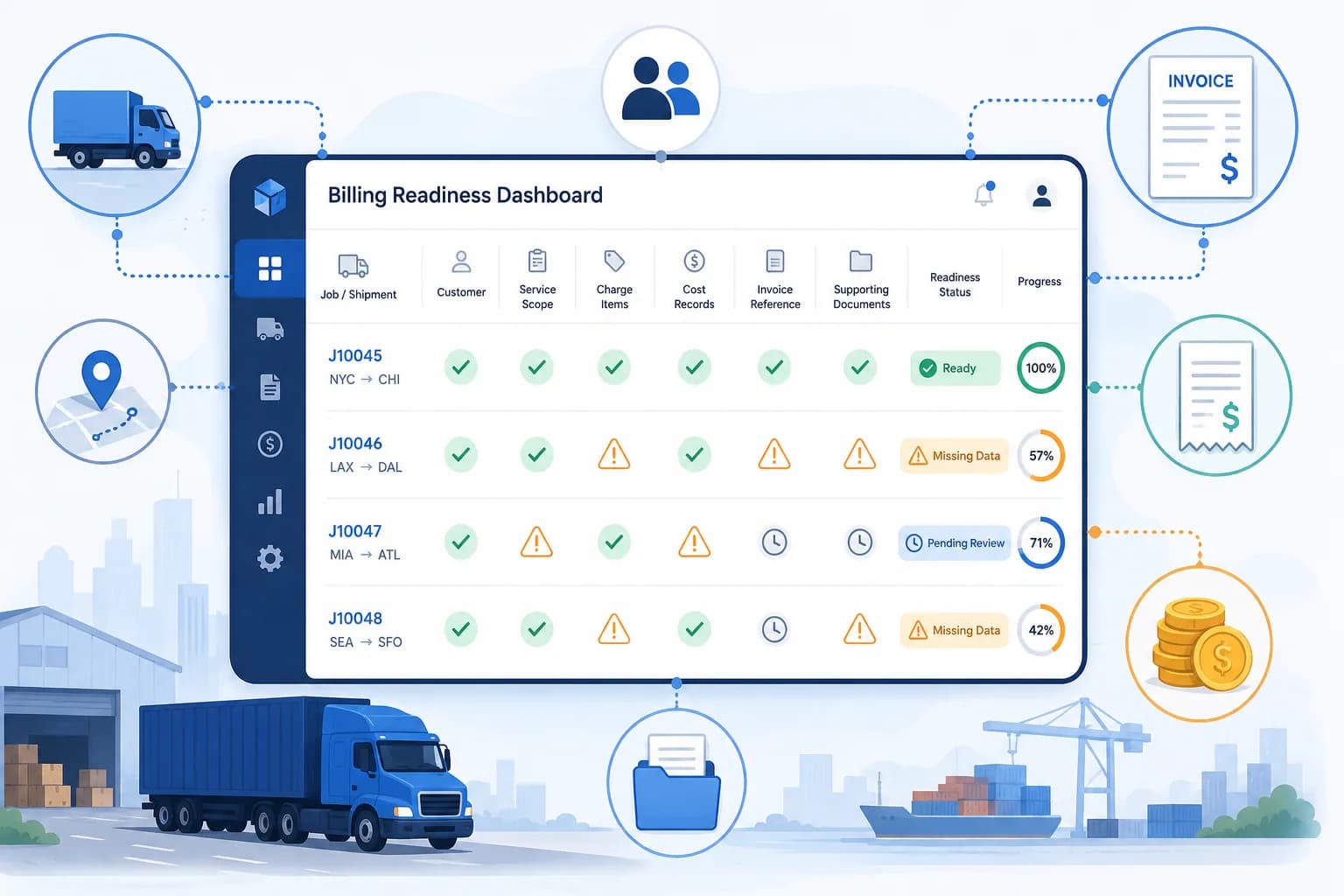
The billing readiness dashboard should show whether completed logistics work has enough data for invoice creation. A job is not fully ready for billing only because cargo moved or a trip ended. Accounting needs the correct customer, service scope, charge items, cost records, invoice reference, and supporting records.
Billing Readiness for Transport Operations
For transport operations, billing readiness should connect transport jobs, rate management, operations, extra charges, accounts receivable, accounts payable, and invoice-related records. Apollogix TMS supports revenue by job or trip, transport cost, extra charges, receivables, payables, and connection with rate and transport job data. This gives accounting the context needed to review which amount belongs to which job, customer, or trip.
Billing Readiness for Freight Forwarding Operations
For freight forwarding operations, billing readiness should connect job orders, shipments, services, costing, invoices, receivables, payables, and spending requests. Apollogix FMS supports invoice creation from job, shipment, and service records. It also supports accounts receivable, accounts payable, debt tracking, revenue and cost by job, spending requests, VAT invoice handling, and reports.
Missing Data This View Should Highlight
This dashboard should highlight missing records. A shipment may be active but missing cost confirmation. A service may be completed but not linked to invoice data. A transport job may be closed but still missing a charge item. A delivery may be completed but still missing proof of delivery. These are the gaps billing readiness should expose.
View 3 — Accounts Receivable and Accounts Payable Dashboard
The accounts receivable and accounts payable dashboard should show who owes the company, who the company owes, and which operational record created the balance.
Receivables with Customer and Job Context
Accounts receivable should not be reviewed only as a total number. Each receivable should connect to the customer, job, shipment, service, trip, invoice, or payment record behind it. This helps accounting know whether the next action belongs to finance, operations, documentation, customer service, or management.
Payables with Vendor and Cost Context
Accounts payable should connect to the vendor, service, shipment, transport job, trip, cost item, or payment request that created it. This is important because a logistics finance issue often starts from missing operational context, not only from unpaid invoices.
How Apollogix Supports Receivables and Payables
Apollogix TMS supports accounts receivable, accounts payable, revenue by job or trip, transport cost, extra charges, and connection with transport jobs and rates. Apollogix FMS supports receivables, payables, debt tracking by customer or partner, revenue and cost by job, invoice creation from job, shipment, and service records, and accounting reports.
View 4 — Cost and Profit Dashboard
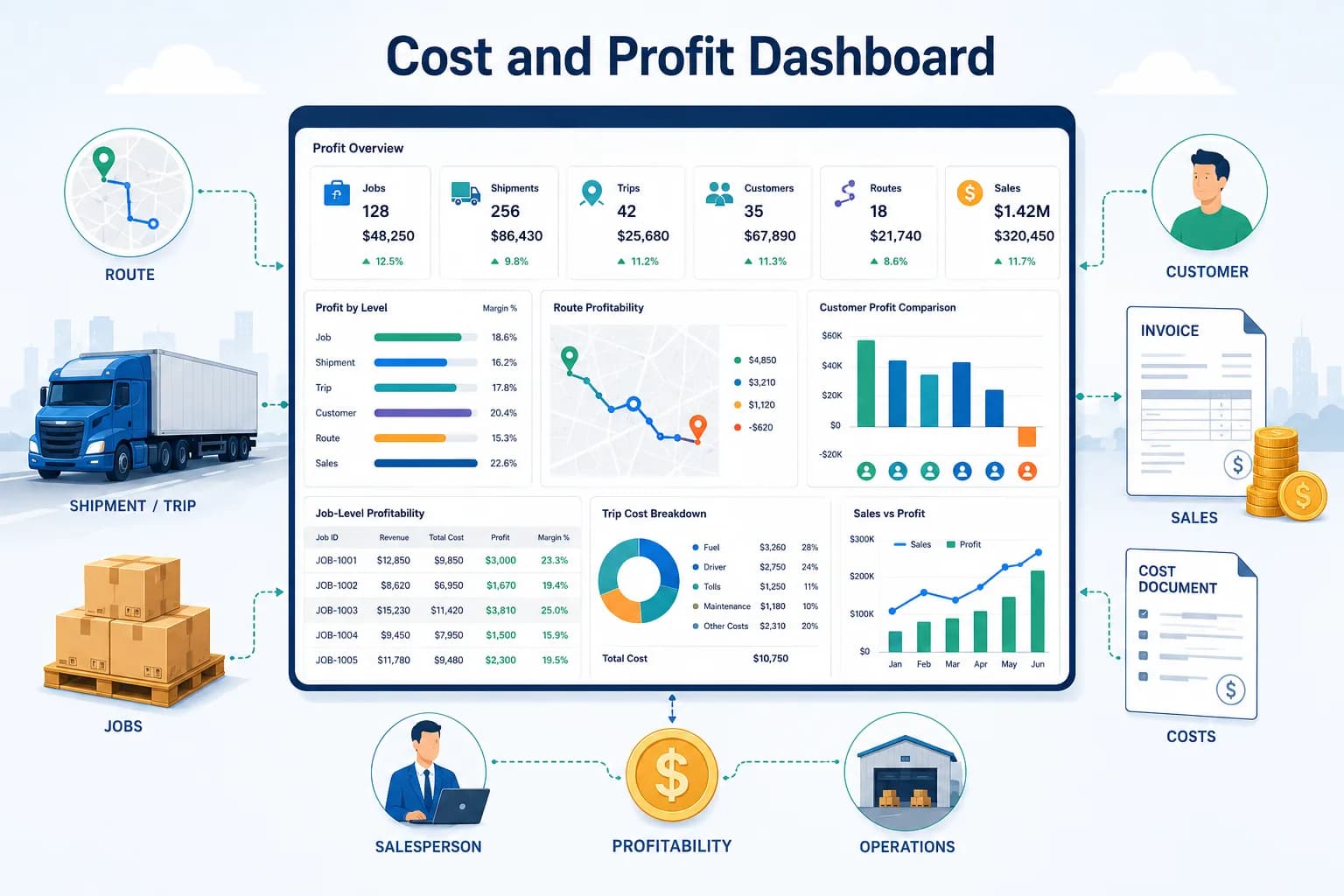
The cost and profit dashboard should show whether logistics work is creating the expected financial result at job, shipment, trip, customer, route, or sales level.
Cost and Profit for Transport Companies
For transport companies, this dashboard should review revenue by job or trip, transport cost, extra charges, vendor payables, customer receivables, and rate connection. When these records are connected, managers can review which job or trip needs cost follow-up and which cost item may still be outside the job record.
Cost and Profit for Freight Forwarders
For freight forwarders, this dashboard should review revenue and cost by job, profit by job or shipment, revenue by customer, revenue by route, sales performance, ocean freight and air freight structure, and related cost records. Apollogix FMS supports revenue and cost by job, profit by job or shipment, and reports by customer, route, and sales.
Why This View Supports Management Review
The purpose of this dashboard is not to replace accounting review. Its purpose is to give management an early view of financial completeness. If revenue is recorded but cost is missing, the profit view is not ready. If costs are approved outside the job record, margin review becomes unreliable.
View 5 — Exception and Follow-Up Dashboard
The exception and follow-up dashboard should show records that need action before the workflow can move forward. Logistics teams do not only manage completed work. They manage interruptions, missing data, delayed updates, pending approvals, and records waiting between departments.
Exceptions in Transport Operations
For transport operations, exceptions may include trips with long waiting time, vehicle or trailer issues, unclosed jobs, missing driver updates, incomplete invoice records, missing proof of delivery, or customer receivables that require follow-up. The dashboard should show the source record, responsible team, missing action, and next step.
Exceptions in Freight Forwarding Operations
For freight forwarding operations, exceptions may include pending job orders, draft shipments, missing service data, pending booking status, unapproved spending requests, missing cost lines, invoices not created, or receivables and payables that require action. These exceptions should be connected with the related job, shipment, service, customer, or vendor record.
What Makes This View Useful
This dashboard should not create a long list of alerts that nobody owns. Each exception should show the source record, the department responsible, the missing action, and the next step. That makes the dashboard useful for daily management, not only monthly reporting.
What Should Leaders Check Before Choosing This Dashboard?
Leaders should check whether the dashboard connects operations and accounting clearly enough for daily management and financial review.
Check Data Connection
The dashboard should connect jobs, shipments, trips, services, invoices, costs, receivables, payables, payment requests, and reports. If teams still need to copy data between separate files, the dashboard is not connected enough.
Check Billing Readiness
The dashboard should show whether completed jobs, trips, or shipments are ready for invoicing. Billing readiness may depend on cost confirmation, proof of delivery, service completion, supporting documents, and customer approval.
Check Financial Traceability
Revenue, costs, invoices, receivables, payables, and payment requests should be traceable back to the right operational file. This is important for profit review and management control.
Check Reporting Quality
Reports should help management review operations, finance, workload, pending files, billing readiness, cost pressure, revenue, profit, and exceptions without manual report rebuilding.