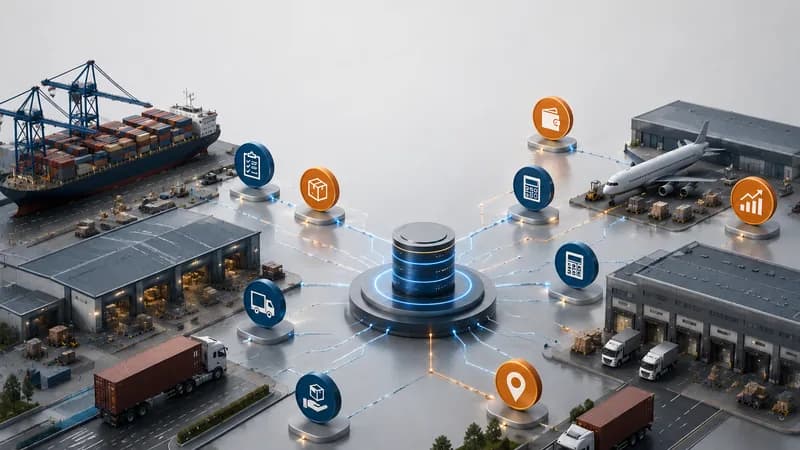
A customs clearance status dashboard helps freight teams monitor the customs-related progress of shipments in one reporting view. Customs clearance is the process of preparing, submitting, checking, and completing customs requirements so goods can move legally across borders. In freight forwarding, customs status is not only a document task. It affects shipment timing, customer updates, trucking coordination, warehouse planning, and billing readiness. When customs information is tracked through separate messages or manual files, teams may miss a pending declaration, a missing document, or a shipment that cannot move to the next step. A dashboard gives managers a clearer view of which shipments are ready, which ones are pending, and which exceptions need action.
What Is a Customs Clearance Status Dashboard?
A customs clearance status dashboard is a reporting screen that shows the customs progress, document status, shipment reference, and exception signals for import or export shipments.
A practical definition for freight teams
In daily freight forwarding work, customs clearance status shows whether a shipment is still waiting for documents, being prepared, submitted, checked, released, or delayed by an exception. The status should connect to the shipment record, customer information, house bill, container, service task, and related documents.
A dashboard helps teams see this information without checking many separate places. It can show shipment status, customs declaration progress, pending tasks, missing document alerts, and related service updates. For managers, the value is not only knowing that customs work exists. The value is knowing which shipment needs action now.
This is especially important for import and export operations. A delayed customs step may affect container pickup, delivery schedule, customer communication, or cost recognition. A dashboard view helps the business connect customs progress with the wider shipment workflow.
Why Customs Clearance Status Needs Reporting Control
Customs clearance status needs reporting control because customs delays can affect shipment execution, customer updates, cost timing, and service quality.
The issue is usually discovered too late
Customs work often involves many details. Teams may need commercial documents, shipment details, container information, consignee data, customs broker information, declaration numbers, and supporting files. If one field or document is missing, the shipment may not move as planned.
When the process is tracked manually, the issue may only appear when the customer asks for an update or when the truck is already scheduled. Operations may think the shipment is ready. Documentation may still be waiting for a file. Accounting may not know whether the shipment is ready for billing. Management may not see the delay until it affects service performance.
A reporting dashboard helps reduce this gap. It gives freight teams a shared view of customs-related work. It also helps COOs and managers see whether customs delays are isolated cases or recurring process issues. When customs status is visible, teams can act earlier and reduce repeated checking between documentation, operation, and customer service.
What Data Should the Dashboard Show?
The dashboard should show shipment number, customer, import or export direction, customs status, document readiness, declaration reference, pending task, and exception alert.
The core fields that support customs visibility
The first group of data is shipment context. This includes shipment number, house bill, master bill if available, customer, consignee, container number, loading port, discharge port, and import or export direction. These fields help teams identify the exact shipment and avoid confusion between similar jobs.
The second group is customs progress. This includes customs declaration status, declaration reference, submission status, release status, and customs broker or responsible person. If the team uses a customs declaration file from Ecus or enters the data manually, the dashboard should still show where the shipment stands.
The third group is document readiness. This includes whether required documents have been received, stored, checked, or still pending. Missing document signals help the team act before the shipment reaches a deadline.
The fourth group is reporting and exception data. This includes delayed shipments, pending customs tasks, late updates, filter by date, filter by customer, and filter by operation type.
How a Dashboard Supports Freight Operations
A dashboard supports freight operations by connecting customs status with shipment handling, trucking coordination, service follow-up, and customer communication.
From customs update to operational action
Customs data becomes useful when it changes what the team does next. If a shipment is released, operations can proceed with trucking, delivery, or warehouse coordination. If the customs status is pending, the team can check which document or declaration step is blocking progress. If an exception appears, the responsible person can open the shipment record and review the related file.
For freight forwarding teams, customs work often sits between documentation and operations. The documentation team may manage shipment records, house bills, containers, and supporting files. The operations team may coordinate logistics services, transport, and customer updates. A dashboard helps both teams work from the same status view.
This also supports management reporting. Leaders can review how many shipments are pending customs, which customers have frequent document issues, and which operation type creates repeated delays. The dashboard does not replace customs expertise. It gives that expertise a clearer operating view.
Which Businesses Need This Dashboard Most?
Businesses need a customs clearance status dashboard most when they manage many import-export shipments, many customers, and many document-dependent workflows.
The need grows with shipment and document volume
This dashboard is useful for freight forwarders, import-export companies, customs service teams, and logistics service providers. It is especially useful when customs work connects with ocean freight, air freight, trucking, warehouse coordination, and billing.
A small team can still lose time if customs updates are spread across email, chat, and manual files. A larger team can lose control if many shipments move through different document stages without a shared dashboard. In both cases, the issue is not only customs knowledge. The issue is whether the business can see customs progress early enough to protect shipment execution.
A customs clearance status dashboard gives managers a structured way to monitor pending declarations, missing documents, delayed shipments, and operational exceptions. It helps the company move from reactive status checking to a more controlled reporting workflow.