Dashboard container tracking realtime is a dashboard view that helps logistics teams monitor container movement, shipment progress, operational alerts, and reporting signals in one place. In this context, realtime does not only mean watching a container on a map. It means seeing updated operational information as teams create jobs, update shipments, assign trips, receive notifications, and manage container-related risks. For container logistics, this matters because a delayed update can affect dispatch planning, warehouse coordination, free time, demurrage risk, customer communication, and billing accuracy. A dashboard gives managers a clearer view of what is moving, what is delayed, what needs action, and which team should respond next.
What Is Dashboard Container Tracking Realtime?
Dashboard container tracking realtime is a reporting view that shows updated container, shipment, trip, and exception data so managers can follow container operations without checking many separate screens.
A practical definition for logistics teams
In container logistics, tracking is not only about knowing where a container is. It also includes knowing which job the container belongs to, which customer is involved, which route is planned, which vehicle or trip is assigned, which status has changed, and whether any exception needs attention.
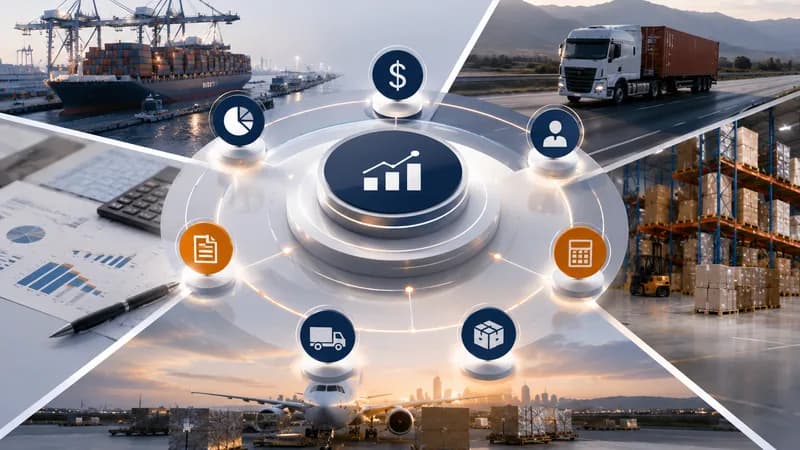
A realtime dashboard brings these signals into a single view. It can show container-related jobs, shipment status, trip progress, waiting time, free time risk, Proof of Delivery updates, and operational notifications. This helps managers understand the current workload and focus on containers that may create service or cost issues.
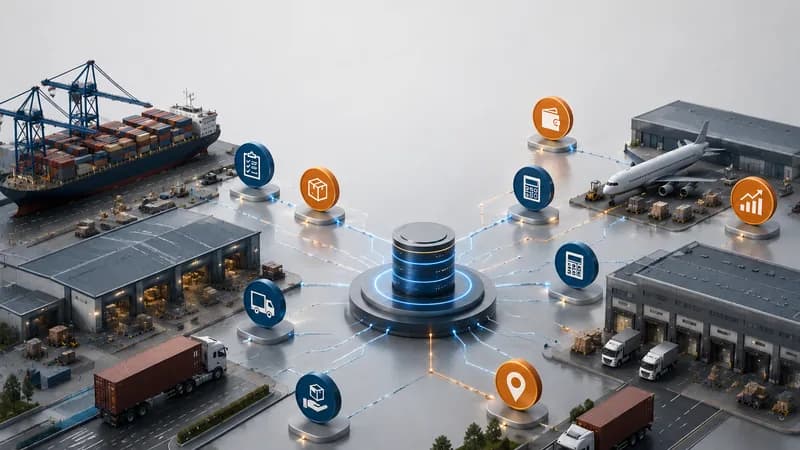
For freight forwarding teams, the dashboard may connect shipment, consol, ocean freight, service, and accounting data. For transport teams, the dashboard may connect container jobs, trips, drivers, equipment, waiting time, and demurrage risk. The goal is the same — give the business a faster way to see container activity before problems become harder to control.
Why Container Tracking Needs a Dashboard View
Container tracking needs a dashboard view because container issues usually affect several teams at the same time, including operations, customer service, accounting, and management.
The problem is scattered status information
A container can move through many steps before the job is closed. It may start from a booking or shipment record. It may be assigned to a transport job. It may need pickup, delivery, depot return, warehouse coordination, and document follow-up. If each update sits in a different message, file, or system screen, the company may not see the issue early enough.
For example, a container approaching free time can create demurrage risk. A trip with waiting time at a port or warehouse can create extra cost. A missing Proof of Delivery can delay customer confirmation. A shipment status change may need action from another team. When these details are not visible together, managers spend more time asking for updates than making decisions.
A dashboard view helps reduce this gap. It gives COOs and operations managers a shared view of workload, progress, alerts, and risk. It also helps accounting and reporting teams connect container movement with later cost and invoice records.
What Data Should the Dashboard Show?
The dashboard should show container count, job status, shipment status, trip summary, waiting time, demurrage risk, notifications, and report filters.
The core information managers need
The first group of data is workload data. This includes the number of jobs, containers, shipments, trips, drivers, and equipment by status. These numbers help managers understand whether the operation is overloaded, balanced, or waiting for action.
The second group is movement data. This includes planned pickup, planned delivery, actual trip updates, assigned driver, assigned equipment, port or depot information, and related customer or warehouse details. This helps the team understand where the container is in the process and what must happen next.
The third group is exception data. This includes waiting time, containers close to free time expiry, delayed trips, missing documents, missing Proof of Delivery, or notifications from related parties. This is often the most important part of the dashboard because it highlights where action is needed.
The fourth group is reporting data. Filters by date, job type, customer, route, container status, and operation type help management review performance by period or business area.
How Realtime Dashboard Data Supports Decisions
Realtime dashboard data supports decisions by helping managers identify priority containers, assign teams faster, and reduce repeated status checking.
From visibility to action
A dashboard becomes useful when it helps the team decide what to do next. A manager should not only see that a container exists. The manager should see whether it is waiting, moving, delayed, approaching a deadline, missing a document, or ready for billing.
For transport operations, this can support allocation decisions. If a trip is delayed, the team can review driver, equipment, schedule date, and customer impact. If waiting time exceeds the allowed limit, managers can review the container and location before the cost becomes harder to explain. If a container is close to demurrage risk, the team can prioritize action.
For freight forwarding operations, this can support shipment follow-up. If a shipment is newly created, updated, or linked to a job order, notification data can help the right team open the correct record quickly. If a shipment is connected to service or accounting data, the dashboard helps management see whether operation and finance are aligned.
Which Businesses Need This Dashboard Most?
Businesses need dashboard container tracking realtime most when they manage many containers, many customers, many routes, and many operational exceptions.
The need grows with container volume and coordination pressure
This dashboard is useful for freight forwarders, trucking companies, container transport operators, and logistics service providers. It is especially useful when one container movement can involve several parties, such as customer, consignee, shipping line, depot, warehouse, driver, operation team, and accounting team.
The need becomes stronger when container status affects cost. Demurrage, waiting time, failed pickup, late delivery, storage, and billing delay all depend on timely operational visibility. If managers only receive updates at the end of the day, they may not have enough time to prevent cost or service impact.
A realtime dashboard gives management a practical control layer. It does not replace operations teams. It gives them a shared view of priority containers, pending actions, and reporting signals. This helps the company move from scattered status checking to structured container control.