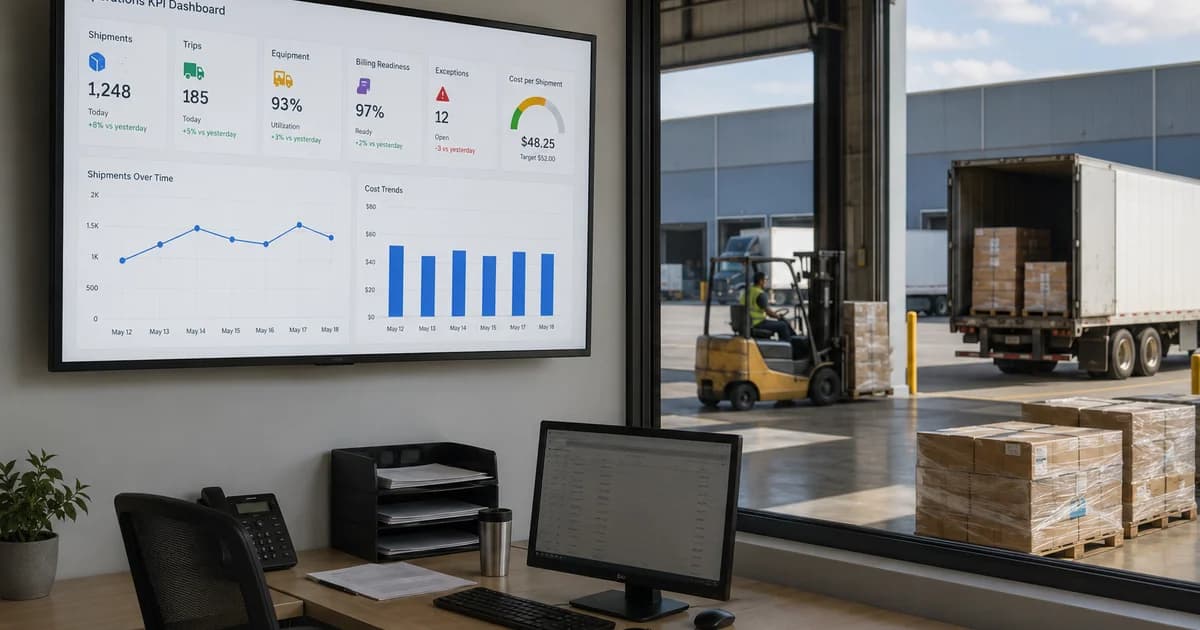
Hệ thống bảng điều khiển theo dõi KPI vận hành logistics giúp doanh nghiệp logistics theo dõi hiệu quả vận hành thông qua bảng điều khiển và báo cáo có cấu trúc. Hệ thống giúp quản lý xem lệnh, lô hàng, chuyến, tài xế, thiết bị, dịch vụ, hóa đơn, doanh thu, chi phí, lợi nhuận, mức sẵn sàng hóa đơn, khối lượng công việc và ngoại lệ từ các hồ sơ được kết nối. Trong logistics, theo dõi KPI không nên chỉ là một danh sách chỉ số. Mỗi KPI nên kết nối với quy trình vận hành phía sau, chẳng hạn lệnh vận tải, lô hàng, hồ sơ dịch vụ, cập nhật tài xế, trạng thái thiết bị, hóa đơn, công nợ phải thu, công nợ phải trả hoặc báo cáo. Khi dữ liệu KPI nằm rải rác trong bảng tính và cập nhật thủ công từ từng bộ phận, quản lý có thể thấy kết quả quá muộn và không hiểu rõ nguyên nhân của chậm trễ, áp lực chi phí hoặc khoảng trống hóa đơn.
Hệ thống bảng điều khiển theo dõi KPI vận hành logistics là gì?
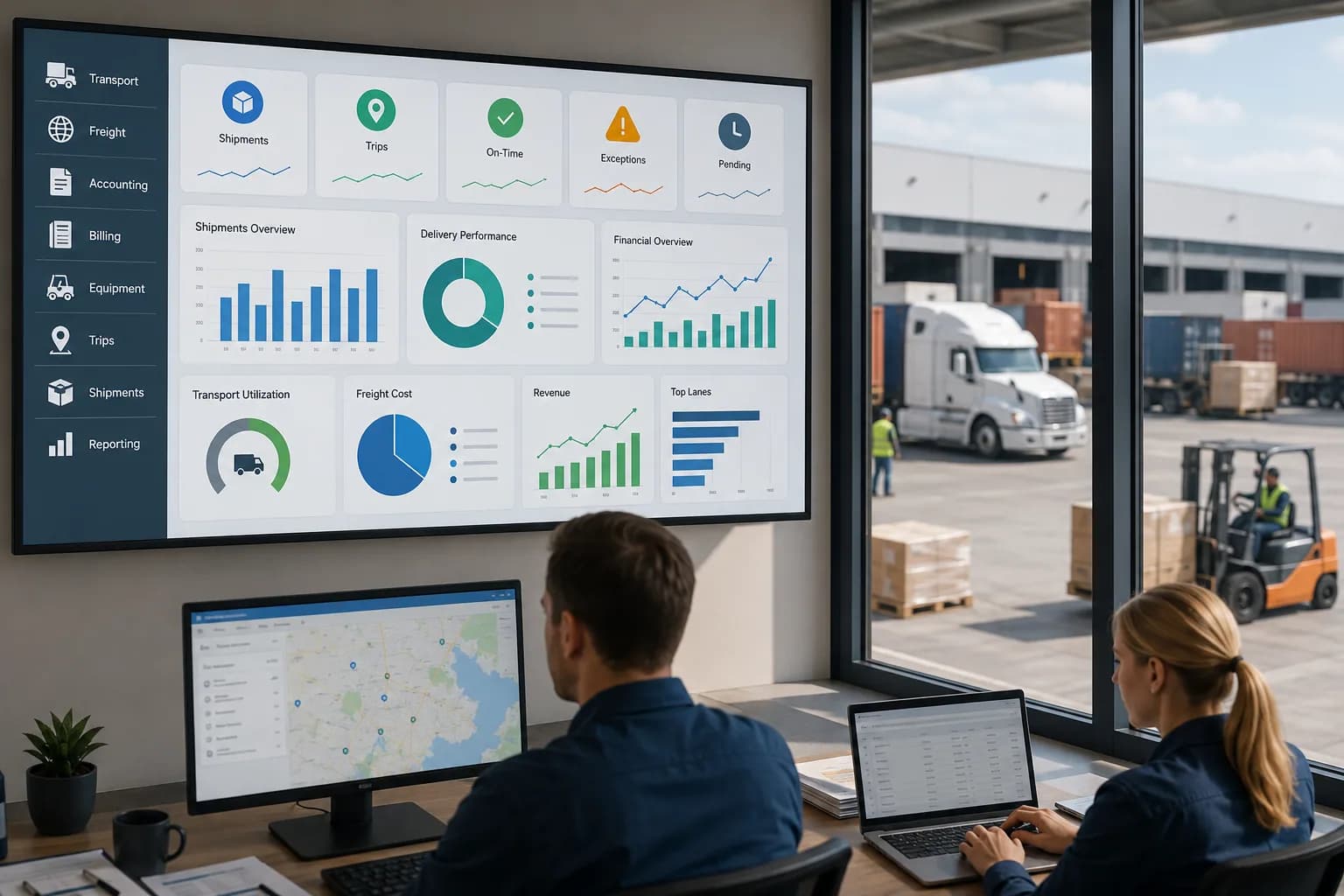
Hệ thống bảng điều khiển theo dõi KPI vận hành logistics là hệ thống báo cáo giúp đội logistics theo dõi các chỉ số hiệu quả vận hành và tài chính trong quy trình vận tải, giao nhận, kế toán và quản lý.
Theo dõi KPI cho vận hành logistics
Theo dõi KPI trong logistics nên giúp quản lý hiểu công việc đang di chuyển trong doanh nghiệp như thế nào. Các KPI hữu ích có thể gồm sản lượng lệnh, sản lượng lô hàng, trạng thái chuyến, khối lượng tài xế, mức sử dụng xe, thời gian chờ, khối lượng dịch vụ, trạng thái hóa đơn, doanh thu, chi phí, lợi nhuận, công nợ phải thu, công nợ phải trả và hành động đang chờ. Những KPI này chỉ hữu ích khi được kết nối với hồ sơ tạo ra chúng.
Nhóm KPI chính cần rà soát
Các nhóm KPI chính nên gồm trạng thái vận hành, khối lượng công việc, tiến độ giao hàng, mức sẵn sàng thiết bị, mức sẵn sàng hóa đơn, kiểm soát chi phí, hiệu quả doanh thu, rà soát lợi nhuận, hoạt động khách hàng, hoạt động tuyến và ngoại lệ.
Vì sao ngữ cảnh bảng điều khiển quan trọng
Một con số trên bảng điều khiển chưa đủ nếu quản lý không hiểu nguồn dữ liệu phía sau. Ví dụ, số chuyến đã hoàn tất cao vẫn có thể che giấu việc thiếu bằng chứng giao hàng. Báo cáo sản lượng lô hàng có thể nhìn tích cực trong khi nhiều hồ sơ chưa sẵn sàng xuất hóa đơn. Báo cáo chi phí có thể cho thấy chi tiêu tăng, nhưng quản lý vẫn cần biết lệnh, tuyến, nhà cung cấp hoặc dịch vụ nào tạo ra chi phí đó.
Vì sao doanh nghiệp logistics cần theo dõi KPI bằng bảng điều khiển?
Doanh nghiệp logistics cần theo dõi KPI bằng bảng điều khiển vì báo cáo thủ công dễ tạo khả năng nhìn thấy chậm, dữ liệu không nhất quán, trách nhiệm không rõ và khả năng kiểm soát vận hành hằng ngày yếu.
Theo dõi KPI thủ công tạo khoảng trống báo cáo
Nhiều đội logistics vẫn chuẩn bị báo cáo KPI bằng bảng tính, email và tổng hợp thủ công từ từng bộ phận. Cách làm này tạo nhiều vấn đề. Dữ liệu có thể được cập nhật ở những thời điểm khác nhau. Cùng một lệnh có thể được vận hành và kế toán ghi nhận khác nhau. Một lô hàng đã hoàn tất về vận hành có thể vẫn chưa hoàn chỉnh về tài chính. Quản lý có thể mất nhiều thời gian kiểm tra dữ liệu hơn là rà soát hiệu quả.
Bảng điều khiển KPI hỗ trợ rà soát quản lý nhanh hơn
Bảng điều khiển có cấu trúc giúp quản lý rà soát tình hình mà không cần chờ từng bộ phận chuẩn bị báo cáo riêng. Lãnh đạo có thể kiểm tra lệnh đang hoạt động, lô hàng đang chờ, tiến độ chuyến, khối lượng dịch vụ, mức sẵn sàng hóa đơn, áp lực chi phí, doanh thu, lợi nhuận và ngoại lệ từ một góc nhìn báo cáo kết nối.
Theo dõi KPI giúp tìm điểm nghẽn
Theo dõi KPI nên giúp đội ngũ thấy công việc đang chậm ở đâu. Điểm nghẽn có thể nằm ở lập kế hoạch điều phối, chứng từ lô hàng, hoàn tất dịch vụ, bằng chứng giao hàng, xác nhận chi phí, tạo hóa đơn, theo dõi công nợ hoặc mức sẵn sàng thiết bị. Một bảng điều khiển tốt nên làm các khoảng trống quy trình này hiển thị rõ.
Bảng điều khiển nên bao gồm những nhóm KPI nào?
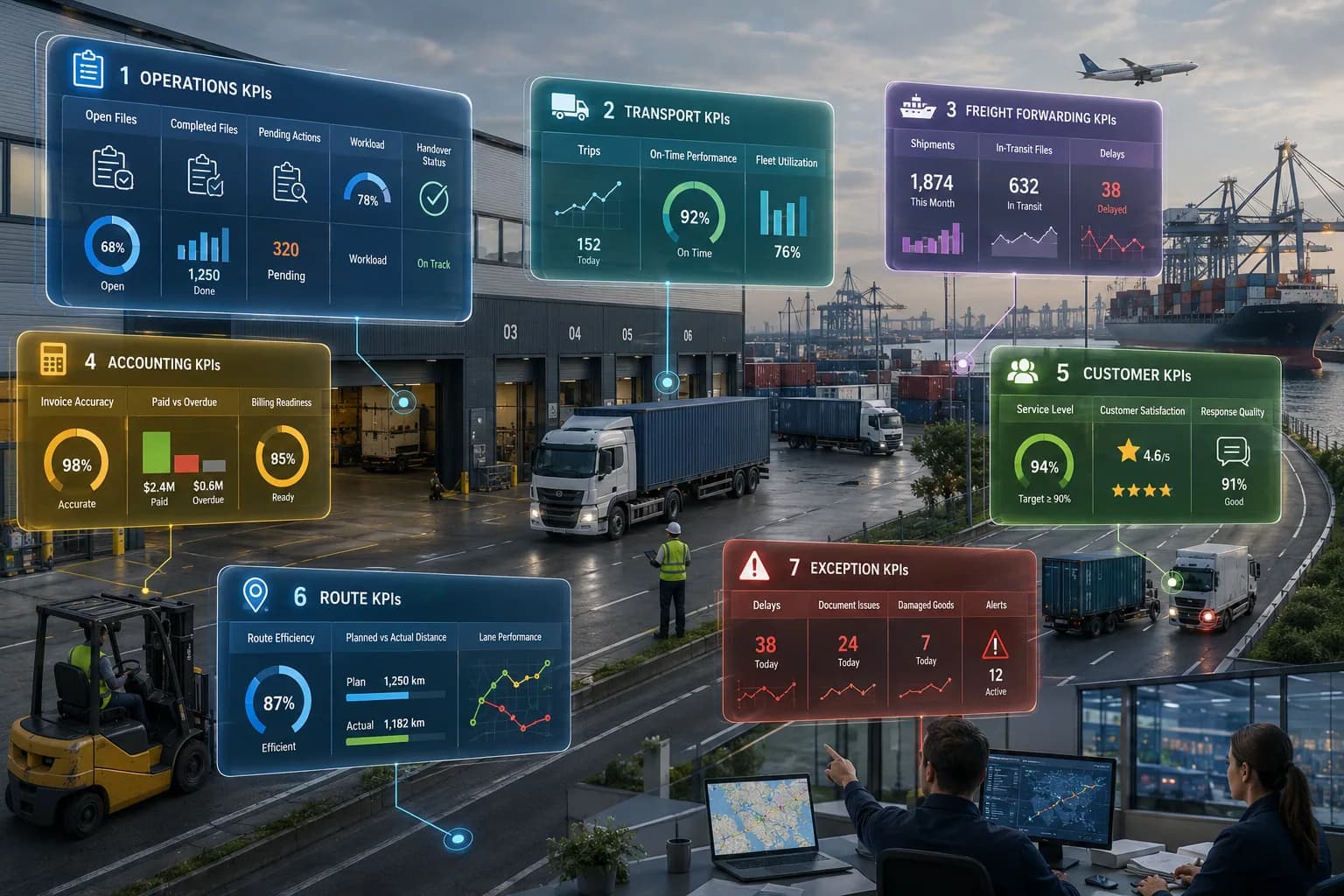
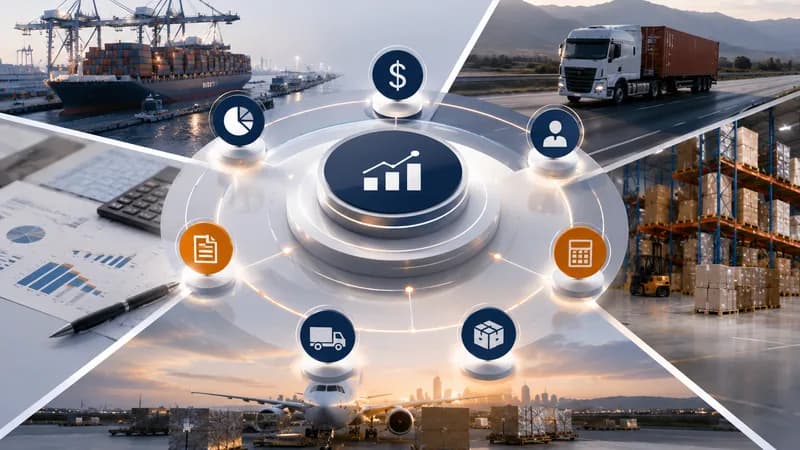
Bảng điều khiển KPI vận hành logistics nên bao gồm KPI vận hành, KPI vận tải, KPI giao nhận, KPI kế toán, KPI khách hàng, KPI tuyến và KPI ngoại lệ.
KPI vận hành
KPI vận hành nên giúp quản lý rà soát trạng thái lệnh, hồ sơ đang mở, hồ sơ đã hoàn tất, hành động đang chờ, khối lượng dịch vụ, trạng thái bàn giao và khối lượng công việc theo đội. Các chỉ số này giúp quản lý hiểu vận hành hằng ngày đang chạy bình thường hay đang chờ xử lý.
KPI vận tải
KPI vận tải nên gồm sản lượng lệnh vận tải, tiến độ chuyến, khối lượng tài xế, mức sử dụng xe, mức sử dụng rơ-moóc, thời gian chờ, chuyến thất bại, trạng thái bằng chứng giao hàng, mức sẵn sàng thiết bị và hiệu suất tuyến. Các chỉ số này giúp đội vận tải rà soát thực thi hằng ngày và hiệu quả điều phối.
KPI giao nhận
KPI giao nhận nên gồm sản lượng lô hàng, trạng thái đơn hàng, khối lượng vận tải biển, khối lượng vận tải hàng không, khối lượng dịch vụ, trạng thái lô hàng, hoạt động khách hàng, hoạt động tuyến, doanh thu theo khách hàng, doanh thu theo tuyến, chi phí theo đơn hàng và lợi nhuận theo lô hàng hoặc đơn hàng.
KPI kế toán
KPI kế toán nên gồm trạng thái hóa đơn, mức sẵn sàng hóa đơn, công nợ phải thu, công nợ phải trả, trạng thái thanh toán, đề nghị chi, doanh thu, chi phí, lợi nhuận và hồ sơ đang chờ xác nhận chi phí. Các KPI này giúp quản lý kết nối hoàn tất vận hành với mức sẵn sàng tài chính.
Apollogix hỗ trợ theo dõi KPI vận hành logistics như thế nào?

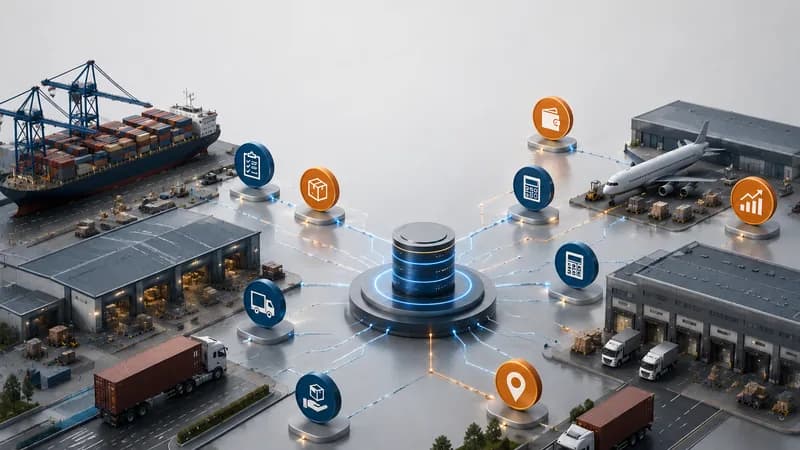
Apollogix hỗ trợ theo dõi KPI vận hành logistics thông qua các quy trình TMS và FMS kết nối bảng điều khiển, lệnh vận tải, vận hành, quản lý thiết bị, cập nhật tài xế, vận tải biển, vận tải hàng không, dịch vụ, kế toán và báo cáo.
Apollogix TMS cho theo dõi KPI vận tải
Apollogix TMS hỗ trợ lệnh vận tải, vận hành, cập nhật tài xế, quản lý thiết bị, kế toán, bảng điều khiển và báo cáo. Điều này giúp đội vận tải rà soát sản lượng lệnh, trạng thái chuyến, hoạt động tài xế, mức sử dụng xe và rơ-moóc, thời gian chờ, bằng chứng giao hàng, trạng thái hóa đơn, chi phí, công nợ phải thu, công nợ phải trả và ngoại lệ vận hành.
Apollogix FMS cho theo dõi KPI giao nhận
Apollogix FMS hỗ trợ quản lý khách hàng, vận tải biển, vận tải hàng không, dịch vụ, kinh doanh, đơn hàng, giá, kế toán, đề nghị chi, bảng điều khiển và báo cáo. Điều này giúp đội giao nhận rà soát sản lượng lô hàng, trạng thái đơn hàng, khối lượng dịch vụ, hoạt động khách hàng, hoạt động tuyến, doanh thu, chi phí, lợi nhuận, hóa đơn, công nợ phải thu, công nợ phải trả và đề nghị chi.
Bảng điều khiển và báo cáo cho quản lý
Quy trình bảng điều khiển và báo cáo giúp quản lý rà soát hiệu quả từ các hồ sơ vận hành và kế toán được kết nối. Thay vì dựng báo cáo thủ công, quản lý có thể xem dữ liệu cập nhật từ lệnh vận tải, hồ sơ lô hàng, dịch vụ, hóa đơn, hồ sơ chi phí và báo cáo.
Lãnh đạo nên kiểm tra gì trước khi chọn hệ thống bảng điều khiển KPI?
Lãnh đạo nên kiểm tra bảng điều khiển có kết nối chỉ số KPI với hồ sơ logistics thật hay không, thay vì chỉ hiển thị biểu đồ.
Kiểm tra kết nối dữ liệu
Bảng điều khiển nên kết nối lệnh, lô hàng, chuyến, dịch vụ, tài xế, xe, rơ-moóc, hóa đơn, chi phí, công nợ phải thu, công nợ phải trả, khách hàng, tuyến và báo cáo. Nếu đội ngũ vẫn phải sao chép dữ liệu từ nhiều file, bảng điều khiển chưa đủ kết nối.
Kiểm tra mức độ phù hợp của KPI
Bảng điều khiển nên hiển thị các KPI hỗ trợ quyết định quản lý hằng ngày. Doanh nghiệp logistics có thể cần KPI về trạng thái lệnh, trạng thái lô hàng, tiến độ chuyến, thời gian chờ, mức sẵn sàng hóa đơn, mức sẵn sàng chi phí, doanh thu, chi phí, lợi nhuận và ngoại lệ.
Kiểm tra tính nhất quán của báo cáo
Cùng một lệnh, lô hàng, chuyến, hóa đơn hoặc hạng mục chi phí không nên bị đếm khác nhau giữa các bộ phận. Một bảng điều khiển KPI tốt nên giúp đội ngũ làm việc trên cùng một nguồn dữ liệu.
Kiểm tra khả năng nhìn thấy ngoại lệ
Bảng điều khiển nên hiển thị hồ sơ nào cần xử lý. Ngoại lệ có thể gồm chuyến bị trễ, thiếu bằng chứng giao hàng, dịch vụ đang chờ, hóa đơn chưa tạo, thiếu xác nhận chi phí, công nợ quá hạn hoặc thiết bị chưa sẵn sàng.
Khi nào doanh nghiệp logistics cần theo dõi KPI bằng bảng điều khiển?
Doanh nghiệp logistics cần theo dõi KPI bằng bảng điều khiển khi sản lượng lệnh, hoạt động lô hàng, thực thi vận tải, khối lượng dịch vụ, theo dõi hóa đơn, kiểm soát chi phí và báo cáo quản lý trở nên khó theo dõi thủ công.
Báo cáo thủ công mất quá nhiều thời gian
Nếu báo cáo KPI cần tổng hợp thủ công từ bảng tính, email và cập nhật của từng bộ phận, doanh nghiệp cần quy trình bảng điều khiển và báo cáo có cấu trúc.
Quản lý không thấy rõ điểm nghẽn quy trình
Nếu quản lý biết hiệu quả đang chậm lại nhưng không thấy vấn đề nằm ở vận hành, điều phối, chứng từ, hoàn tất dịch vụ hay kế toán, theo dõi KPI cần kết nối quy trình tốt hơn.
Rà soát hóa đơn và chi phí bị chậm
Nếu lệnh hoặc lô hàng đã hoàn tất nhưng chưa sẵn sàng xuất hóa đơn vì thiếu chi phí, dịch vụ, bằng chứng giao hàng hoặc hồ sơ hóa đơn, bảng điều khiển nên theo dõi mức sẵn sàng hóa đơn và mức sẵn sàng chi phí.
Các đội cần một góc nhìn hiệu quả chung
Nếu vận hành, tài chính và quản lý dùng các báo cáo khác nhau để rà soát cùng một công việc, doanh nghiệp cần một góc nhìn hiệu quả kết nối để cải thiện kiểm soát và tính nhất quán báo cáo.